Charging & Safety
Building a Fireproof Charging Bunker
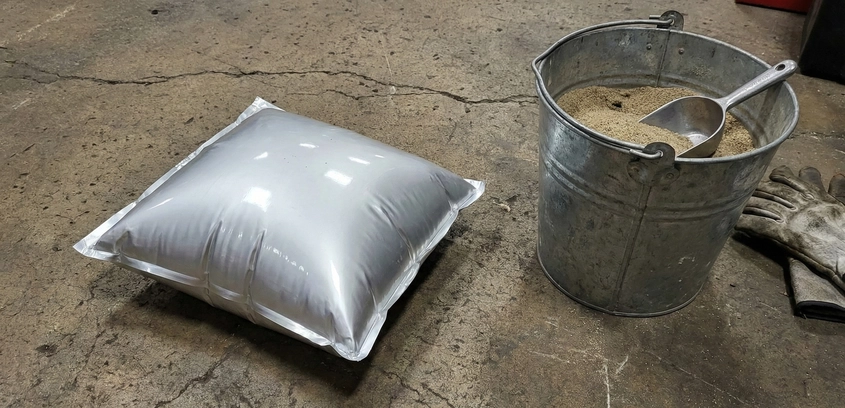
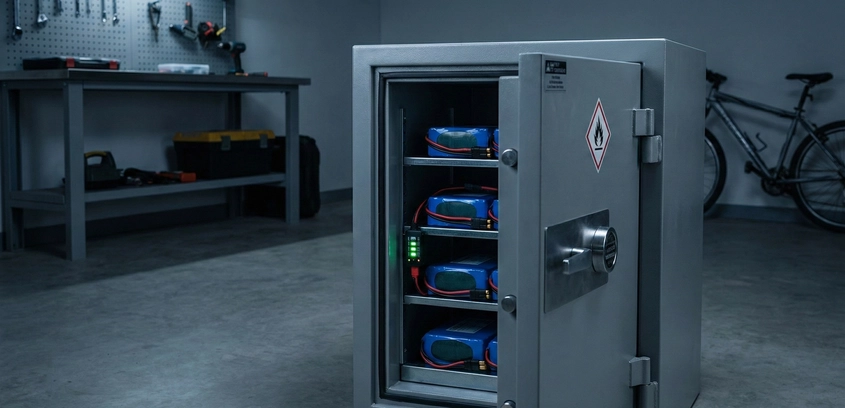
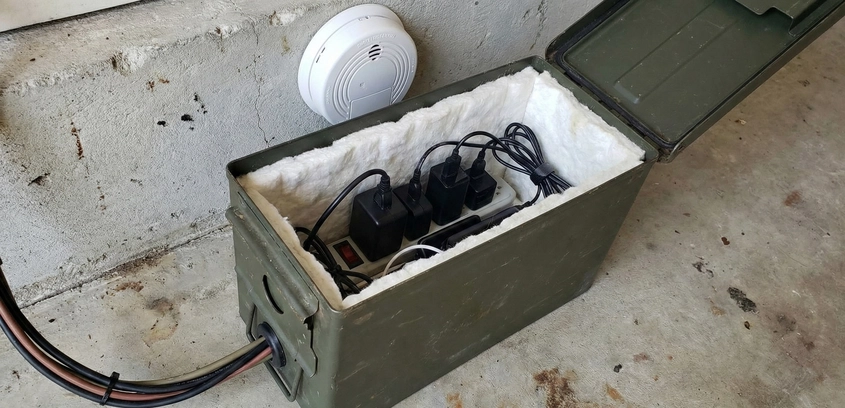
The Philosophy of ContainmentIn the lithium-ion battery world, we operate under a single, sobering mantra: It is not a matter of if, but when. Even with the best cells and a high-end BMS, hardware failures, firmware bugs, or physical defects can trigger thermal runaway. When a multi-kilowatt-hour pack decides to "vent with flame," you are no longer dealing with a fire; you are dealing with a self-oxidizing chemical blowtorch that reaches 1000°C in seconds.Standard fire safety advice—like using a fire extinguisher—is often useless once a large pack reaches the point of no return. You cannot put out a lithium fire easily because the cathode releases oxygen as it breaks down. Therefore, your goal shifted from "extinguishing" to "containment." A charging bunker is a sacrificial structure designed to let the battery burn itself out while preventing that fire from spreading to your house, garage, or workshop. In this detailed guide, we explore the materials, ventilation physics, and electrical failsafes required to build a professional-grade containment station.1. Why Commercial Lipo Bags FailMany beginners trust the $15 "Fireproof Lipo Bags" sold on Amazon. For a tiny 1S drone battery, they might work. For an e-bike pack or a solar module, they are a false sense of security. These bags are made of fiberglass fabric with a thin coating. In a real runaway event, the internal pressure of the expanding gases often blows the zippers or velcro wide open. The localized heat is so intense that the fabric fibers degrade and tear. To protect a building, you need mass and structural integrity—you need a bunker.2. Materials Science for the BunkerTo contain a 1000°C flame, you need materials with high thermal mass and low thermal conductivity. There are three primary DIY routes for building a safe charging station.Route A: The Cinder Block BunkerConcrete blocks (Cinder blocks) are the cheapest and most effective thermal barriers available. Design: Build a simple box using 8-inch thick concrete blocks. Do not use mortar; you want the gaps between the blocks to allow some pressure equalization (while the mass of the blocks absorbs the heat). The Base: Place the blocks on a layer of firebricks or a heavy concrete paver. Never place a charging bunker directly on a wooden workbench or carpet. The Lid: Use a heavy concrete patio paver as the lid. In an explosion, the lid will lift slightly to vent pressure but its weight will keep the flames contained.Route B: The Modified Ammo CanMilitary surplus ammo cans are made of heavy-gauge steel and are incredibly popular for battery storage. The Critical Warning: A sealed ammo can is a bomb. If a battery vents inside, the pressure will build until the steel ruptures. The Modification: You MUST remove the rubber gasket from the lid. This creates a small gap that allows gas to escape while the steel structure contains the fire. For larger packs, line the inside of the can with 1/2-inch cement board (HardiBacker) to prevent the heat from melting through the steel walls.Route C: Specialized Solutions (Bat-Safe)If you have the budget, the Bat-Safe is the only commercial product that actually works. It uses a patented flame arrestor—a thick fiberglass filter—that lets smoke and pressure out but traps the heat and flames. It is the gold standard for indoor charging.3. The Toxic Threat: Smoke and Gas ManagementA lithium fire isn't just hot; it is poisonous. The white smoke released during venting contains Hydrogen Fluoride (HF) gas. When inhaled, HF reacts with the moisture in your lungs to create hydrofluoric acid, which causes deep tissue damage and systemic poisoning. A charging bunker in an unventilated basement is a death trap.The Ventilation Protocol: 1. Exhaust Fans: Connect your bunker to a high-temperature metal duct (dryer vent style). 2. Negative Pressure: Use an inline fan to pull air from the bunker and blast it directly outside. 3. Location: If possible, move your charging station to a detached shed or a balcony. If it must be in the garage, place it near a window or door with an active extraction system.4. Electrical Failsafes and AutomationA smart bunker doesn't just sit there; it reacts. You should integrate your charging electronics with the bunker's environment. (See our guide on Lithium Storage Safety for more on environment control).The Smoke Link: Place a smoke detector inside the bunker. Use a "Smart" smoke detector that can trigger an IFTTT routine or a Zigbee relay to cut power to the AC charger immediately.Thermal Cutoff: Install a thermal switch (KSD301 style) set to 70°C on the bunker wall. If the temperature exceeds this, the switch opens, cutting power to the charger.Automated Fire Suppression: Some builders mount an "AFFF Fire Extinguisher Ball" above their charging station. These balls self-activate when touched by flame, dumping fire-retardant powder over the area.5. Placement Rules of ThumbEven a good bunker needs space. Follow the 3-3-3 Rule: 1. Keep the bunker 3 feet away from flammable walls. 2. Keep it 3 feet away from curtains, fuel cans, or cardboard boxes. 3. Keep it at a height where you can easily grab the handle and throw the whole box outside if it starts to smoke (if the box is small enough).Summary for the Safe BuilderBuilding a fireproof charging bunker is an admission of respect for the energy density you are working with. By using concrete or modified steel, integrating active ventilation, and setting up automated electrical shutoffs, you transform a potentially lethal hobby into a managed engineering risk. Never charge unattended on a wooden surface. Your peace of mind is worth the $50 in cinder blocks.