
Latest Articles

Page 2 of 10
Replacing a BMS in an Existing Pack Troubleshooting & Maintenance

Replacing a BMS in an Existing Pack

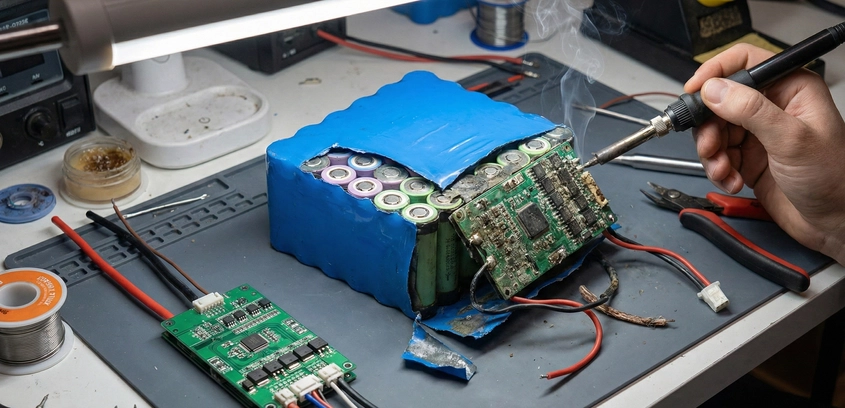
The High-Stakes RepairYou have verified your battery cells are balanced and healthy, but the output is dead. Your diagnosis points to a failed Battery Management System (BMS). Maybe a MOSFET failed closed, or a balance channel burnt out. You order a replacement.Replacing a BMS is fundamentally different from building a new battery. When building new, you connect the BMS before the series connections are live. When repairing, the battery is fully energized, sitting at 48V or 72V, waiting for a single slip of the screwdriver to arc-weld itself to your hand. This process is akin to performing open-heart surgery while the patient is awake and running a marathon. There is no "Off" switch. Strict adherence to the Order of Operations is the only thing keeping you safe.1. The Disconnection Protocol (Removal)You cannot just start cutting wires. The BMS relies on a specific ground reference to keep its logic logic gates stable. If you remove the main ground while the sense wires are still connected, the full pack voltage might try to find a path to ground through the thin balance wires, instantly frying the old BMS (if it wasn't dead already) and potentially damaging the cells.Step 1: Disconnect the Load/Charger (P-) Unbolt or desolder the thick blue or black wire going to the discharge connector. Tape the end of this wire immediately. It is now electrically floating, but we treat it as live.Step 2: Unplug the Balance Connector (CRITICAL) This is the most common mistake. Remove the white JST connector with the thin wires first. Do not cut the wires yet. Just unplug the harness from the BMS board. Why? This isolates the BMS logic from the high-voltage series taps. Once this is unplugged, the BMS is "blind."Step 3: Disconnect the Main Negative (B-) Now you can safely desolder or unbolt the thick black wire connecting the BMS to the Battery Main Negative. Once this is removed, the BMS is physically separated from the pack.2. Preparing the PatientWith the old BMS gone, you have a live battery with exposed terminals. Insulation Strategy: Use Kapton Tape or cardboard to cover every exposed nickel strip and terminal except the specific one you are working on. The B- Wire: Inspect the solder joint on the battery Main Negative. Is it cold? Is the wire frayed? Now is the time to fix it. Ideally, solder a new, high-quality silicone wire for the new BMS B- lead.3. The Pinout Trap: Never Trust the PlugYou bought a "Daly 13S BMS" to replace your old "Daly 13S BMS." The white connector looks identical. Can you just plug the old harness into the new BMS? ABSOLUTELY NOT.Manufacturers change pinouts constantly. - Old BMS: Pin 1 = Negative, Pin 2 = Cell 1... - New BMS: Pin 1 = Empty, Pin 2 = Negative... If you plug the old harness into the new BMS without checking, you will send 48V into a pin expecting 3V. The BMS will pop, smoke, and die instantly.Verification Procedure: 1. Take the new harness that came with the new BMS. 2. Compare it visually to the old harness. 3. Ideally, replace the harness entirely. Solder the new wires one by one to the cell groups. 4. If you must reuse the old harness, use a multimeter to verify every single pin against the new BMS wiring diagram before plugging it in.4. The Connection Protocol (Installation)This is the reverse of removal, but even more strict. (See our BMS Wiring Order guide for the physics).Step 1: Connect Main Negative (B-) Solder the thick B- wire from the BMS to the Battery Negative. Check: Tug on the wire. It must be solid. This is the ground reference for the logic.Step 2: Verify the Harness Voltages Before plugging in the white connector, put your multimeter black probe on the B- solder joint. Use the red probe to check each pin on the connector. Pin 1: 3.6V Pin 2: 7.2V ... Pin 13: 46.8V If the sequence is not perfect, STOP. Fix the wiring.Step 3: Plug in the Balance Connector Insert the plug firmly. You might see a tiny spark inside the connector. This is normal (capacitors charging).Step 4: Connect the Output (P-) Solder the discharge cable to the P- pad.5. Activation and TestingYour new BMS is installed, but the output voltage measures 0.0V. Did you kill it? No. Most new BMS units ship in "Shipment Mode" or "Protection Mode." They need a wake-up signal. How to Activate: Apply a charge voltage (from your e-bike charger) to the P- and P+ wires. As soon as current flows into the BMS, the logic resets, the MOSFETs open, and the battery goes live.Final Check: Measure the voltage at the actual cell terminals (e.g., 48.0V). Measure the voltage at the BMS output (P- to P+). They should be identical. If the output is 47.5V, you have a high-resistance connection or a bad FET.SummaryReplacing a BMS is a test of discipline. The temptation to "just plug it in" is high, but the cost of failure is a dead component or a shorted pack. By treating the battery as a live energetic device, taping off your work area, and triple-checking pinouts with a multimeter, you can perform this surgery safely and give your battery a second life.

23 Dec 2025 Read More
Managing Swollen LiFePO4 Prismatic Cells Troubleshooting & Maintenance

Managing Swollen LiFePO4 Prismatic Cells

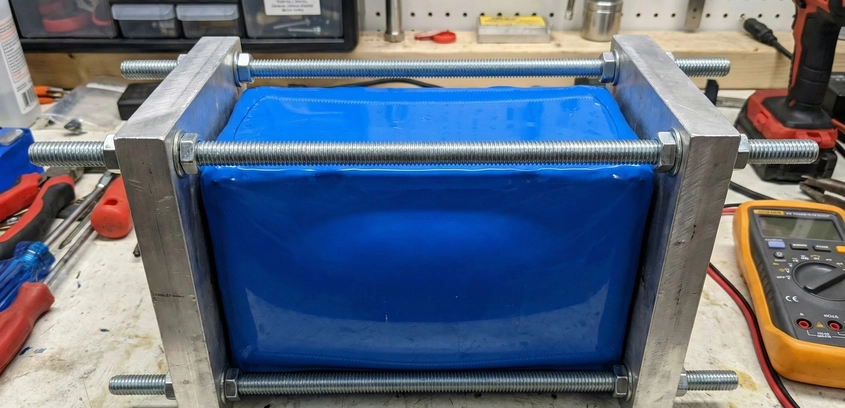
When the Blue Bricks Turn RoundOne of the most alarming sights for a solar battery owner is opening their battery box to find that their perfectly rectangular LiFePO4 cells have turned into ovals. The aluminum casing is bulging, and the busbars are under immense tension. The immediate reaction is panic: "Is it going to explode?"The answer is nuanced. Unlike pouch cells where swelling is almost always a sign of death, large Prismatic LiFePO4 cells have a certain amount of Normal Mechanical Swelling. However, there is a fine line between "breathing" and "failing." This guide will help you determine which side of the line your cells are on.1. Mechanism A: Intercalation Swelling (Normal)As we discussed in our Compression Guide, charging a lithium cell involves moving ions into the graphite anode. This process physically forces the graphite atomic layers apart to make room for the lithium. The Scale: A 280Ah cell can expand by 1mm to 2mm in thickness from 0% SOC to 100% SOC. This is reversible. When you discharge the cell, it shrinks back down. The Symptom: The cell feels hard, like a solid brick. If you apply a straight edge, the bulge is smooth and centered. This is healthy chemistry doing its job, but it indicates you failed to use a proper compression fixture to restrain it.2. Mechanism B: Gas Generation (Fatal)This is the bad one. If the electrolyte decomposes due to over-voltage (>3.8V), extreme heat, or internal shorting, it releases gases ($CO_2$, Methane, etc.). The sealed aluminum can traps this gas, causing it to balloon. The Symptom: - The Squeeze Test: If the bulge feels "squishy" or has a bit of give when you press it (like a very stiff balloon), it is gas. - The Relief Valve: Look at the vent on top (between the terminals). If the foil seal is broken or bulging upwards significantly, the internal pressure has reached critical levels. - Smell: If you detect a sweet, chemical odor (like nail polish remover or fermented fruit), the cell has vented.3. Measuring the Bulge: The Pass/Fail CriteriaManufacturers provide a spec for "Max Thickness." For a standard 72mm thick EVE LF280K cell: - New (Grade A): 72mm ± 1mm. - End of Life (swollen): ~75mm to 76mm.If your cell has expanded by more than 3-4mm permanently (even when discharged), the internal layers have delaminated. The anode and cathode are no longer making intimate contact. Consequence: The capacity will drop drastically, and the internal resistance will skyrocket. The cell is effectively dead, even if it still holds voltage.4. Can You "Fix" a Swollen Cell?If the swelling is Type A (Mechanical) and relatively minor (

20 Dec 2025 Read More
Fixing Drifting Parallel Groups Troubleshooting & Maintenance

Fixing Drifting Parallel Groups

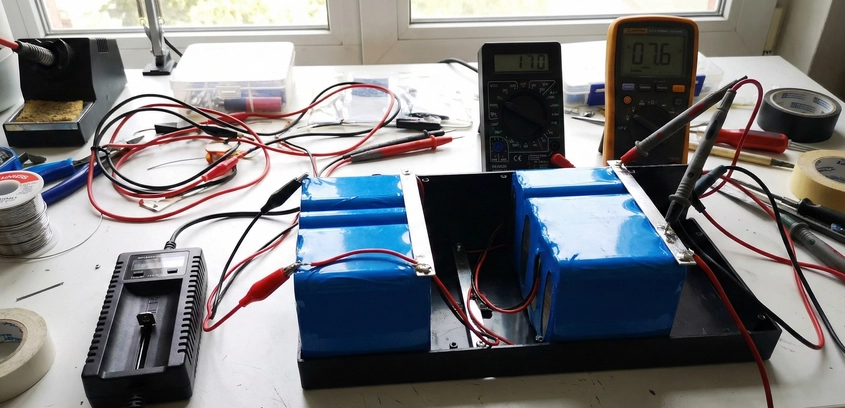
The Leaky Bucket in the ChainYou have a 13S (48V) battery pack. Twelve of the series groups sit perfectly at 4.15V, but Group #7 is stubbornly stuck at 3.90V. You leave it on the charger for days, hoping the BMS will balance it. It rises slightly, but as soon as you take it off the charger, Group #7 begins to drop again. This is not a balancing issue; it is a Self-Discharge issue.In a parallel group (e.g., 4 cells welded together), the cells act as one large battery. If just one of those four cells has an internal micro-short (a defect in the separator), it slowly drains itself. Because it is physically welded to its three healthy neighbors, it drains them too. It acts like a vampire, sucking the energy out of the entire group. No amount of Active Balancing can fix this, because the leak is continuous. To save the battery, you must perform surgery.1. Diagnosis: Confirming the DriftBefore cutting nickel strips, confirm the diagnosis. 1. Full Charge: Charge the pack until the BMS cuts off. 2. Record Voltages: Measure every series group (1-13). Write them down. 3. The Wait: Disconnect the BMS balance leads (to ensure the BMS itself isn't the drain) and let the battery sit for 48 hours. 4. Re-Measure: If Group #7 has dropped by 0.1V or more while the others stayed stable, you have a confirmed internal short in that group.2. The Surgical AccessYou need to access the cells in the bad group. If your battery is wrapped in heavy PVC shrink and glued, this is difficult. Safety First: You are working on a live battery. One slip with a knife or cutter can short Group 7 to Group 6 or 8. Use plastic pry tools and cover all surrounding groups with thick cardboard or plastic shields. Only expose the nickel of the bad group.3. Isolating the CellsThis is the tedious part. You cannot tell which of the 4 cells is the bad one while they are connected. You must separate them. The Cut: Use a Dremel with a cutoff wheel (risky—sparks) or a pair of sharp flush cutters to snip the nickel strips connecting the cells in parallel. You don't need to remove the nickel from the cell terminals completely yet; just break the electrical connection between the neighbors.The Post-Cut Wait: Once the 4 cells are isolated from each other, charge them all individually to exactly 4.00V using a single-cell charger or lab power supply. Wait another 24-48 hours. Measure them. - Cell A: 3.99V (Good) - Cell B: 3.99V (Good) - Cell C: 3.85V (BAD) - Cell D: 3.99V (Good) Congratulations, you caught the vampire (Cell C).4. The Replacement: Matching PhysicsYou cannot just throw in any new cell. Capacity Matching: If the original cells were 3000mAh but have aged to 2500mAh, you should not put a brand new 3000mAh cell in. It will cause imbalance during charging. Ideally, use a cell with similar remaining capacity. Resistance Matching: The new cell must have a similar Internal Resistance (IR) to the old ones. If the old cells are 30mΩ and the new one is 15mΩ, the new one will take too much current load.Pro Tip: If you can't find a perfect match, it is often better to replace all 4 cells in that parallel group with fresh ones of the same make/model. Having one entire group slightly stronger than the others is safer than having internal mismatches within a group.5. Re-Assembly and Spot WeldingWelding inside a built pack is dangerous. 1. Prep: Grind off the old nickel remnants from the good cells (A, B, D) carefully. 2. Insulate: Apply new fishpaper rings. 3. Weld: Weld a new nickel strip across the group. Warning: Ensure the welding probes do not touch any other part of the battery. The current path must be strictly local.6. Final BalancingBefore reconnecting the BMS, you must manually bring the repaired group to the exact same voltage as the rest of the pack. Use a lab power supply to charge/discharge Group 7 until it matches Group 6 and 8 within 0.01V. If you plug the BMS in while there is a 0.5V difference, the balance wires might melt.Fixing a drifting group is high-stakes maintenance. It requires a steady hand and strict adherence to voltage isolation protocols. However, successfully identifying and removing a single $5 bad cell to save a $500 battery pack is one of the most validating experiences in the hobby. It proves that you don't just own the technology; you understand it.

19 Dec 2025 Read More
Reviving Dead Lithium Cells: Safety and Limits Troubleshooting & Maintenance

Reviving Dead Lithium Cells: Safety and Limits

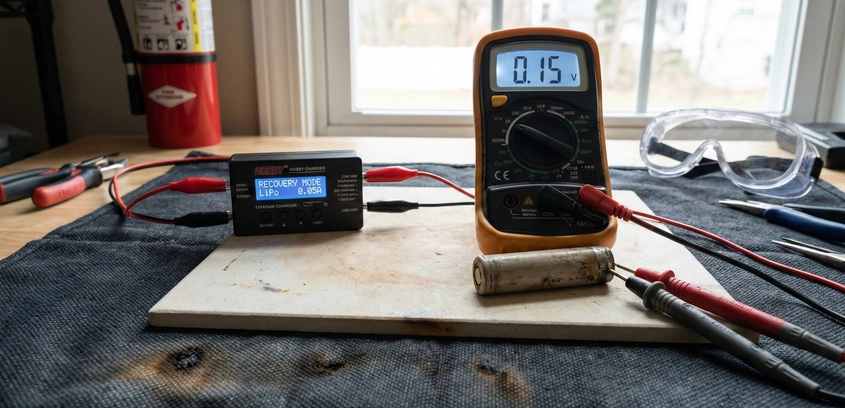
The Difference Between Sleeping and DeadFinding a lithium battery that reads 0.00V is a common scenario for scavengers and repair technicians. Before you toss it in the recycling bin—or worse, hook it up to a fast charger—you must determine why it reads zero. There are two possibilities:Scenario A: The Sleeping BMS (Safe) The cells inside are actually at 3.0V or 2.5V, but the BMS has locked the discharge port to prevent further drain. The battery is healthy; the switch is just off.Scenario B: The Deeply Discharged Cell (Dangerous) The actual cell voltage is 0V or close to it (e.g., 0.5V). The chemistry is completely depleted. This is where the danger lies.1. The Chemistry of the Danger Zone (< 2.0V)Why is 0V bad? Lithium cells are not designed to be empty. When the potential of the anode rises above ~2.0V (relative to Li/Li+), the copper current collector foil (which holds the graphite) begins to corrode. It dissolves into the liquid electrolyte. This is a chemical reaction called Copper Dissolution.When you try to recharge this cell later, the dissolved copper ions rush back to the anode. But they don't reform a smooth foil. They deposit as Copper Shunts (dendrites). These microscopic metallic trees grow through the plastic separator and touch the cathode. The Result: A "Soft Short." The cell will self-discharge rapidly. In severe cases, the shunt causes a hard short during charging, leading to immediate thermal runaway. This is why most chargers refuse to charge a cell below 1.5V.2. The "No-Go" CriteriaBefore attempting revival, measure the cell directly (bypassing the BMS).> 2.5V: Safe to charge normally.2.0V - 2.5V: Safe to revive, but likely has lost capacity.1.0V - 2.0V: High Risk zone. Copper dissolution has likely started. Revive with extreme caution outdoors.< 1.0V: DO NOT REVIVE. The chemical damage is extensive. The risk of internal shunts is near 100%. Recycle immediately.3. The Resurrection Protocol (Low Current Recovery)If you have a cell in the 1.5V - 2.5V range and want to attempt a save, you cannot use a standard charger. Standard chargers push 1A or 2A immediately. This high current will overheat the high-resistance internal chemistry.Step 1: The Trickle Charge (Pre-Charge)You need a lab power supply. Set the voltage to 3.0V. Set the current limit to 0.05A or 0.1A (50mA - 100mA). Connect the cell. Monitor the temperature with your hand. If it gets warm at 100mA, it is internally shorted. Throw it away.Step 2: The Plateau CheckWatch the voltage rise. - Good Sign: Voltage rises steadily to 3.0V over 10-30 minutes. - Bad Sign: Voltage rises to 2.0V and gets stuck, or rises and then drops back down. This indicates the internal shunts are burning off energy as fast as you put it in. The cell is a "Heater." Stop immediately.Step 3: Standard ChargeOnce the cell reaches 3.0V, the internal chemistry is stabilized. You can now move it to a standard lithium charger (0.5A rate). Charge it to full (4.2V).4. The Mandatory "Heater Test" (Self-Discharge)Just because it charged to 4.2V doesn't mean it is safe. A revived cell often has "Micro-Shunts." These are tiny copper bridges that slowly drain the battery. The Protocol: 1. Charge to 4.20V. 2. Write the voltage and date on the side. 3. Place the cell in a fireproof box/bucket. 4. Wait 7 Days (or ideally 30 days). 5. Measure again.Results: - 4.15V+: Success. The cell is holding charge. Use it for low-drain applications (flashlights). - < 4.00V: Fail. The cell has high self-discharge. If you put this in a pack, it will drain its neighbors and destroy the whole bank. Recycle it.5. The Application: Where to use Zombie Cells?Never put a revived cell into a high-performance pack (E-bike, Skateboard, Drone). The internal resistance is permanently damaged. It will sag and overheat under load. Acceptable uses: - Solar garden lights. - Single-cell USB power banks. - Low-power arduino projects. - Testing prototypes.SummaryReviving a dead cell is a chemistry experiment, not a money-saving hack for critical systems. The copper shunts created during deep discharge are permanent scars. While you can nurse a cell back to voltage, you can never restore its original safety margin. Treat revived cells as "probationary" forever, and never charge them unattended.

18 Dec 2025 Read More
Diagnosing and Fixing Voltage Sag Troubleshooting & Maintenance

Diagnosing and Fixing Voltage Sag

The Phantom BrakeThere is nothing more frustrating in the world of electric vehicles than the "Cutout." You charge your e-bike to 100%. The screen says 54.6V. You ride down the driveway, hit the throttle for the first hill, and the screen blinks off. The bike dies. You wait 5 seconds, turn it back on, and the voltage reads 53V—plenty of power. You try again, and it dies again.This phenomenon is Voltage Sag. It is the instantaneous drop in voltage that occurs when current flows through resistance. If the sag is deep enough to touch the BMS Under-Voltage Protection (UVP) setting, the system shuts down to save itself. Diagnosing sag is an exercise in elimination. Resistance can hide in the chemistry, the metal interconnects, or the copper wiring. This guide will teach you how to hunt it down using a multimeter and a systematic load test.1. The Physics: $V_{drop} = I imes R_{total}$Every battery system can be modeled as a perfect voltage source in series with a resistor. This resistor ($R_{total}$) is the sum of:Cell Internal Resistance ($DC_{IR}$): The chemistry's ability to release ions.Interconnect Resistance: Nickel strips and spot welds.BMS Resistance: The MOSFET switches and current shunt.Wire & Connector Resistance: The copper leads and XT90/Anderson plugs.Example Scenario: You have a 48V battery. The BMS cutoff is 40V. The total system resistance is 0.3 Ohms. You pull 30 Amps (roughly 1500 Watts). $$Voltage Drop = 30A imes 0.3Omega = 9.0 Volts$$ Your 48V resting voltage instantly becomes 39V under load. Since 39V is below the 40V cutoff, the BMS cuts power. When the load is removed (0 Amps), the 9V drop disappears, and the voltage "bounces back" to 48V. This bounce-back tricks beginners into thinking the battery is full, when effectively, it is useless under load.2. Step 1: The Connector Check (The Easy Fix)Before tearing open the heat shrink, check the obvious. Ride the bike or run the load for a few minutes (gently, so it doesn't cut out). Stop and immediately touch the discharge connectors (XT60/90, Anderson). Are they hot? Heat indicates resistance. A loose crimp, a pitted connector from sparking, or a bad solder joint can easily add 0.1 Ohms. If the connector is hot to the touch (>50°C), replace it. This simple fix solves 30% of sag issues.3. Step 2: The "Bad Group" HuntIf the connectors are cool, the problem is inside the pack. You need to identify if the entire pack is weak (high IR cells) or if just one series group is failing.The Diagnostic Protocol: 1. Open the battery case to expose the BMS sense wires or the nickel strips. 2. Secure the bike/vehicle so the wheel can spin (or connect a dummy load). 3. Connect a multimeter to Series Group 1. 4. Apply the throttle/load. Watch the voltage drop. 5. Repeat for every series group (1 to 13/14).Interpreting the Data: - Uniform Sag: If every group drops from 4.2V to 3.6V under load, your cells are simply not powerful enough for the motor (Low C-Rating). You need a bigger battery or better cells. - The Cliff: If Groups 1-12 drop to 3.8V, but Group 13 drops to 2.5V, you have found the culprit. Group 13 is the "Weak Link." It triggers the BMS cutoff while the rest of the pack is fine.4. Root Causes of a Weak GroupOnce you identify Group 13 is sagging, why is it happening?A. Broken Spot WeldsIf a parallel group has 4 cells, but the nickel strip welds have snapped on 2 of them due to vibration, you are forcing all the current through the remaining 2 cells. They will sag twice as much. Test: Press down on the nickel strips with an insulated tool. If the voltage stabilizes, you have a broken weld. Re-weld it.B. Capacity Mismatch (Imbalance)If Group 13 has lower capacity (Ah) than the others, it empties faster. A 50% charged cell sags much more than a 90% charged cell. Test: Check the resting voltage. Is Group 13 lower than the others? Try manually balancing it. If it drifts down again, the cells are damaged.C. High Internal Resistance (Cell Death)If the welds are good and the capacity is full, but it still sags deep, the chemistry in that group is dead. This often happens near heat sources (like the BMS side of the pack). Heat degrades the electrolyte, raising IR. You must replace the cells in that group.5. The BMS BottleneckSometimes, the BMS itself is the resistance. Cheap BMS units use low-quality MOSFETs with high On-Resistance. The Thermal Test: Run the load for 5 minutes. Touch the BMS heatsink (or use a thermal camera). If the BMS is scalding hot (>80°C), it is undersized. The heat increases the resistance of the copper traces and FETs, causing further voltage drop. Upgrade to a higher-amp BMS.6. Mitigation StrategiesIf you cannot replace the battery, how do you live with sag?Reduce Power: Program your motor controller to pull less current (Amps). Less Amps = Less Sag.Thicken Wires: Shorten battery cables and upgrade from 14 AWG to 10 AWG silicone wire. Every milliohm counts.Keep it Warm: Cold batteries sag. Keep the battery inside until you ride.SummaryVoltage sag is the reality check of battery performance. It tells you the truth about your power delivery system. By rigorously testing connectors, individual cell groups, and thermal signatures, you can isolate the bottleneck. Often, a "dead battery" is just one broken spot weld or one bad connector away from being a beast again.

15 Dec 2025 Read More
PPE and Safety Gear for Battery Builders Tools & Equipment

PPE and Safety Gear for Battery Builders

The Lab Coat is Not EnoughWorking with high-energy lithium batteries presents a unique triad of hazards: Electrical Shock, Thermal Burns, and Chemical Toxicity. Unlike standard electronics work where a mistake means a blown fuse, a mistake in a battery lab can vaporize a wrench or fill a room with poisonous gas in seconds.Too many DIY builders work in t-shirts and squint when they spot weld. This is a gamble with probability. As you scale up from small 12V packs to 400V EV modules, your PPE must evolve from "sensible precautions" to "life-support equipment." This guide outlines the non-negotiable gear required to keep your eyes, skin, and lungs intact.1. Eye and Face Protection: The First LineThe Hazard: "Blowouts" during spot welding. Occasionally, a spot welder will dump too much energy into a dirty contact point. The nickel strip literally explodes, spraying molten metal droplets at supersonic speeds. The Gear: - ANSI Z87.1+ Safety Glasses: The "+" indicates high-velocity impact rating. Do not use reading glasses; they will shatter into your eyes. - Full Face Shield: If you are working on large busbars or testing Recycled Cells that might vent, a face shield protects your skin from jet flames and hot electrolyte spray.2. Hand Protection: Voltage vs. ChemistryYou need different gloves for different stages of the build.Stage A: Cell Processing (Chemical)When harvesting cells, you encounter leakage. Lithium electrolyte contains organic solvents and lithium salts that can form hydrofluoric acid on contact with skin moisture. Gear: Thick (6 mil+) Nitrile Gloves. Latex is permeable to some solvents. If a cell feels "slimy," change gloves immediately.Stage B: High Voltage Assembly (Electrical)Once you connect cells in series to exceed 60V DC, you are in the lethal zone. Gear: Class 0 High Voltage Gloves. Common Myth: "Leather gloves insulate." False. Leather holds moisture and salts from your sweat, becoming conductive. You need rubber insulating gloves with leather over-protectors. Ensure they are tested and within their expiration date.3. Respiratory Protection: The Silent KillerThe Hazard: 1. Flux Fumes: Soldering large cables produces thick clouds of rosin smoke, a known sensitizer causing occupational asthma. 2. Venting Gas: If a lithium cell fails, it releases Hydrogen Fluoride (HF) and Phosphoryl Fluoride. These cause permanent lung damage. The Gear: - Soldering: A desktop fume extractor with an activated carbon filter is mandatory for indoor work. - Emergency: A half-face respirator with Acid Gas / Organic Vapor (6003) cartridges. Keep this sealed in a bag near the exit. If a pack vents, don't put it on; run. Use it only if you must re-enter to contain a fire.4. The "No Jewelry" Rule (De-Gloving)This is the most gruesome injury in electrical work. If you wear a gold wedding ring or a metal watch band and short it between a battery terminal and the chassis: 1. The ring becomes a short-circuit element. 2. It heats to red-hot temperatures in a fraction of a second. 3. It cauterizes and burns through the finger bone. Protocol: Remove all metal from your body before entering the workshop. Silicon wedding bands are the only acceptable alternative.5. Workshop InfrastructurePPE extends to your environment. - Non-Conductive Mat: Cover your workbench with a rubber ESD mat. If you drop a live nickel strip, it won't short out against a metal table. - Insulated Tools: Use wrenches and screwdrivers with VDE-rated insulation (usually red/yellow handles). Wrapping a wrench in electrical tape is a "better than nothing" field fix, but VDE tools are tested to 1000V. - The "One Hand" Rule: When probing high voltages ($>100V$), keep one hand in your pocket. This prevents a shock from travelling across your chest (heart) if you touch a live rail.SummarySafety gear is uncomfortable. It is hot, it reduces dexterity, and it fogs up. But in a battery lab, energy is invisible. You cannot see the potential in a busbar until it arcs. Wearing proper PPE is not about fear; it is about professionalism. It ensures that a catastrophic equipment failure results in a cool story and a replaced part, rather than a trip to the burn unit.

14 Dec 2025 Read More
Cell Sorting and Grading Workflows Tools & Equipment

Cell Sorting and Grading Workflows

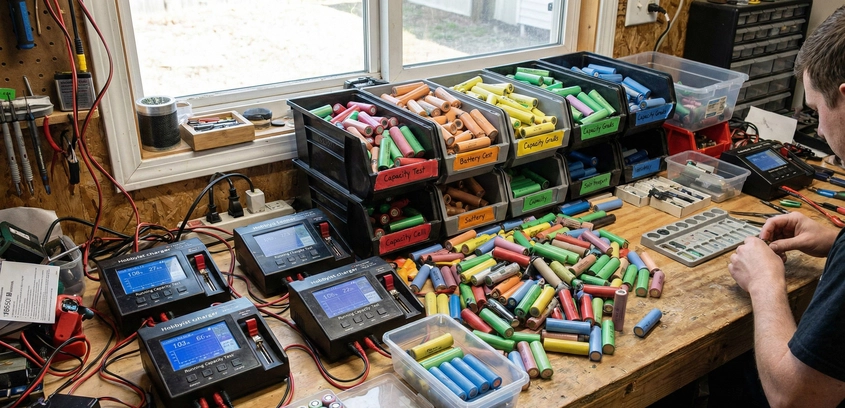
From Chaos to UniformityBuilding a battery pack from brand new, Grade A cells is easy: you bolt them together and go. Building a massive energy storage system from Recycled Cells is an entirely different engineering challenge. You are effectively acting as the Quality Control department for cells that were manufactured five years ago by different factories and subjected to unknown abuse.A "Grading Station" is not just a battery charger. It is a filtration system. Its job is to take a bucket of unknown cylindrical cells and sort them into precise categories based on Capacity (mAh), Internal Resistance (mΩ), and Self-Discharge Rate. Without this sorting process, a single weak cell in a 14S80P powerwall acts as a parasitic load, dragging down the entire parallel group and triggering BMS faults daily. In this guide, we will explore the hardware and software workflows required to process thousands of cells efficiently.1. The Hardware Levels: Hobby vs. Pro-sumerLevel 1: The Opus BT-C3100 (The Workhorse)For almost a decade, the Opus has been the standard for DIYers processing fewer than 500 cells. Pros: Affordable, standalone, and reasonably accurate for capacity testing. Cons: - Heat: The internal fan is tiny and loud. It struggles to dissipate heat during discharge, often pausing the test to cool down, which skews the results. - Current Limit: Discharge is typically limited to 1A (or 0.5A for 4 slots). This is fine for laptop cells but slow for high-capacity EV cells. - Data Gap: You have to physically read the screen and write the mAh number on the cell wrapper with a Sharpie. Human error is high.Level 2: The Vapcell S4+ or SkyRC MC3000These offer better thermal management and PC connectivity (for the SkyRC). They are more precise but still limited by the 4-slot form factor.Level 3: The MegaCellMonitor (The Mass Production Tool)If you are building a 14kWh or larger system, manual chargers are too slow. The MegaCellMonitor is a modular system where 16-slot chargers connect via Wi-Fi to a central database on your PC. The Killer Feature: It automatically logs the discharge curve, IR, and capacity of every cell, associating it with a barcode. You scan the cell, insert it, and the software tells you exactly which "Bin" to put it in. It removes the spreadsheet nightmare.2. The "30-Day Rule" ProtocolThe biggest mistake new builders make is testing capacity immediately. The correct workflow: 1. Harvest & Voltage Check: Discard anything < 2.0V immediately. 2. Charge to Full (4.20V): Fill them up. 3. THE WAIT: Let the cells sit on a shelf for 30 Days. 4. Voltage Re-Check: Measure them. If a cell dropped from 4.20V to 4.15V, it is fine. If it dropped to 4.00V, it is a "Heater." Recycle it. 5. Capacity Test: Discharge from 4.2V to 2.8V to measure mAh. 6. Store: Charge back to 3.7V for storage until assembly.This 30-day wait is the only way to catch internal micro-shorts that will ruin your pack balance later.3. The Math of Binning (Capacity Matching)Once you have 1,000 tested cells, how do you arrange them? You are building series groups (e.g., 14 groups in series). Every series group must have the exact same total Amp-Hour capacity.Example: - Group 1 Total: 200.5 Ah - Group 2 Total: 200.4 Ah - Group 3 Total: 180.0 Ah (BAD!)If Group 3 is smaller, it will fill up faster during charging (triggering over-voltage protection) and empty faster during discharging (triggering under-voltage protection). The entire battery is limited to the capacity of Group 3. Software Tools: Use online tools like "Repackr." You input your list of 1,000 capacities, and the algorithm tells you exactly which cells to put in which group to balance the averages perfectly.4. Thermal Management During GradingDischarging batteries generates heat ($P = I^2R$). When you have 50 chargers running at once, your workshop will get hot. Active Cooling: Point box fans at your chargers. Heat affects the internal resistance measurement accuracy. A cell tested at 40°C will show slightly higher capacity than a cell tested at 20°C. Consistency in ambient temperature is key for consistent data.5. The "Heater" Cell DangerOccasionally, a cell will have such high internal resistance that it gets hot during the charge cycle. Safety Rule: Never leave a grading station unattended for the first hour of the charge cycle. Use a Thermal Camera to scan the chargers. If one cell is glowing white-hot on the screen while others are cool, pull it immediately. It is converting charging energy directly into heat and is a fire risk.SummaryGrading cells is the unglamorous, tedious backend of the DIY battery world. It requires patience, organization, and a strict adherence to rejection criteria. Ideally, you should reject 20-30% of the cells you harvest. Being ruthless during the grading phase is the only way to ensure that your final assembly is a robust, "set-and-forget" system rather than a constant maintenance headache.

12 Dec 2025 Read More
Wire Strippers and Hydraulic Crimpers Guide Tools & Equipment

Wire Strippers and Hydraulic Crimpers Guide

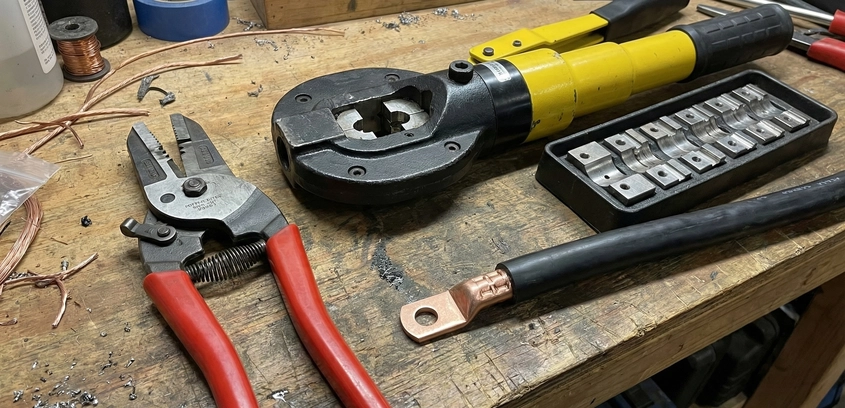
The Art of the TerminationIn high-current DC systems (100A+), the wire itself is rarely the problem. The failure point is almost always the termination—the point where the flexible wire meets the rigid lug. If this connection is not perfect, it creates a bottleneck of resistance. Resistance creates heat. Heat creates oxidation, which creates more resistance.To stop this cycle, we aim for the Holy Grail of electrical connections: The Gas-Tight Crimp. This means the copper strands of the wire and the copper wall of the lug are compressed so tightly that they deform into a single, solid mass of metal with zero air gaps. Without air, oxygen cannot enter. Without oxygen, corrosion cannot occur.1. Stripping: Respecting the StrandsBefore you crimp, you must strip. The Mistake: Using a knife or cheap pliers to strip 4 AWG wire. This inevitably nicks or cuts the outer strands of the copper bundle. The Physics: While DC current flows through the whole cross-section (unlike AC skin effect), cutting 10% of the strands effectively turns your 4 AWG wire into a 6 AWG wire at the connection point—creating a localized hot spot. The Tool: Use automatic wire strippers or specific gauge-sized rotary strippers. The goal is to remove the insulation without scratching a single strand of copper.2. The Crimp: Hammer vs. HydraulicYou have a 2/0 AWG lug. How do you crush it?The Hammer Crimper (The Hobbyist Trap)This is a small jig you hit with a sledgehammer. Why it fails: It relies on the instantaneous impact force. You cannot control the pressure. One hit might be too weak (loose wire); the next might be too hard (cracking the lug). It does not create a uniform compression; it just flattens the metal. The resulting crimp often has air pockets.The Hydraulic Crimper (The Engineering Solution)These tools use a hydraulic piston to apply massive, consistent force (typically 8 to 16 Tons). The Hex Die: Unlike a hammer that flattens, a hydraulic crimper uses hexagonal dies. This applies pressure from six directions simultaneously, squeezing the strands into a dense hexagonal honeycomb shape. Cold Welding: Under 10 tons of pressure, the copper crystals actually deform and fuse. If you were to slice a proper hydraulic crimp in half, you wouldn't see individual wire strands; you would see a solid block of copper.3. Lug Selection: Heavy Duty vs. StandardNot all copper lugs are equal. Starter Lugs: Thin walls, open ends. Fine for a car starter used for 3 seconds. Heavy Duty (Battery) Lugs: Thick walls, closed ends. Mandatory for continuous loads (Inverters/Solar). The thick wall provides more thermal mass to dissipate heat from the joint. The closed end (blind hole) prevents moisture from wicking up into the cable.4. The Crimping Protocol1. Sizing: Select the die that matches your lug (e.g., 35mm² or 2 AWG). 2. Insertion: Insert the wire fully until it hits the back of the lug. 3. The Crimp: Pump the handle until the two die faces touch. Then give it one more pump to ensure full compression. 4. Rotation: For large lugs, rotate the tool 90 degrees and apply a second crimp if the barrel is long enough. 5. The "ears": You will see small ridges of copper squeezed out between the dies. This is normal; it means the lug was fully compressed.5. The Pull TestHow do you verify a crimp? Mechanical violence. Secure the lug in a vise. Grab the cable with both hands and pull with all your body weight. - If the wire pulls out: Fail. - If the lug bends but holds: Pass. A proper crimp is stronger than the wire itself. (See our Wire Gauge Guide for tensile strengths).6. Sealing: Adhesive Heat ShrinkA gas-tight crimp protects the inside of the connection, but you must protect the exposed copper at the entry point. Use Dual-Wall (Adhesive Lined) Heat Shrink (3:1 shrink ratio). When you heat this tubing, an inner layer of hot-melt glue liquefies and flows into the gap between the insulation and the lug. When it cools, it forms a waterproof, airtight seal. This is mandatory for Marine Environments to prevent green corrosion from creeping up the wire.SummaryYour battery bank is only as reliable as its loosest connection. A hydraulic crimper costs $50. A fire caused by a loose lug costs your home. By using the right tools to create a cold-welded, sealed connection, you lower the resistance of your system and ensure that the power you generate actually makes it to your appliances.

12 Dec 2025 Read More
Lab Bench Power Supplies for Battery Charging Tools & Equipment

Lab Bench Power Supplies for Battery Charging

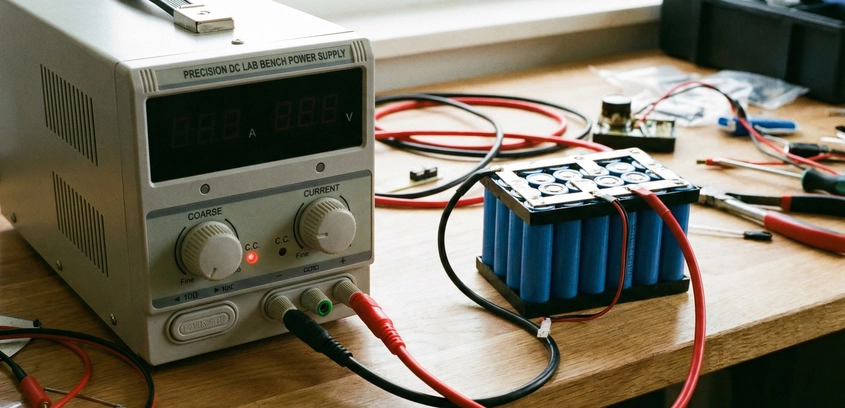
The Battery Builder's Swiss Army KnifeIf you are serious about building lithium batteries, a standard "brick" charger is not enough. You need control. You need to be able to set a precise voltage to 3.65V for top balancing a single cell today, and 58.8V for charging a 14S e-bike pack tomorrow. You need to limit current to 100mA to wake up a sleeping BMS, or push 20A to fast-charge a test bank.For decades, this meant buying expensive, heavy linear power supplies from brands like Rigol or Siglent. But in recent years, a modular revolution has occurred: The Riden (RD) Series. These buck-converter modules allow DIYers to build professional-grade, programmable power supplies for a fraction of the cost. In this guide, we will dissect the architecture of the RD6006/RD6012/RD6018 units, how to power them, and the mandatory safety protocols for connecting them to high-energy lithium packs.1. The Architecture: Buck Converter PhysicsThe RD6006 is not a power supply in itself; it is a smart regulator. It takes a DC input (e.g., 60V) and "bucks" it down to your desired output (e.g., 54.6V). Efficiency: Because it uses switching technology (MOSFETs switching at high frequency), it is 95% efficient. It generates very little heat compared to old linear supplies.The Input Source (The Server PSU Hack)To feed an RD module, you need a powerful DC source. The pro move is to use recycled Server Power Supplies (like the HP "Common Slot" 1200W units). - A single server PSU gives 12V. - By isolating the grounds and connecting three or four in series, you can create a 36V or 48V DC bus to feed your Riden module. This gives you 1200 Watts of reliable, industrial-grade power for under $50.2. Why You Need "Battery Mode"Standard lab supplies are designed to power resistive loads (like light bulbs). If you connect a battery to them, they can get confused by the battery's own voltage. The Riden series features a dedicated Battery Charging Mode. 1. Detection: It senses when a battery is connected. 2. Ah/Wh Counting: It integrates current over time, acting as a high-precision coulomb counter. You can see exactly how much energy you put into a pack. 3. Auto-Cutoff: You can set a "Tail Current" limit (e.g., 100mA). When the battery is full and current drops below this threshold, the unit cuts the output. This automates the CC/CV Charging Protocol, preventing over-saturation.3. The Backflow Danger: The Schottky DiodeThis is the most critical safety lesson for bench supplies. The Scenario: You are charging a 48V battery. The power grid goes out. Your RD6006 turns off. The Physics: Electricity flows downhill. The battery is now at 50V, and the power supply output is at 0V. The massive energy in the battery rushes backwards into the power supply. This reverse current can blow the output capacitors and MOSFETs of the power supply instantly.The Fix: You MUST install a large diode on the positive output lead. Use a Schottky Diode (e.g., 20A 100V). Schottky diodes have a low forward voltage drop (~0.3V). The diode acts as a check valve. It allows current to flow from the supply to the battery, but blocks current from the battery to the supply. Some newer Riden models claim internal protection, but an external diode is cheap insurance for a $500 battery.4. Data Logging and Health AnalysisOne of the killer features of modern digital supplies is PC connectivity (USB or WiFi). By connecting the RD6006 to a computer, you can graph the charging curve in real-time. Diagnostic Value: - Internal Resistance Check: If the voltage spikes instantly when charging starts, the battery has high IR. - Capacity Fade: By overlaying the charging graphs of the same pack from January and June, you can visually see the capacity degradation (the curve gets steeper).5. Top Balancing Large BanksIf you are building a 280Ah LiFePO4 bank, you need to Top Balance all cells in parallel at 3.65V. A standard 5A charger would take days. An RD6018 (18 Amps) can do it in a fraction of the time. Setting the Parameter: - Set Voltage: 3.650V (Verify with a Fluke multimeter). - Set Current: Max (18A). - Set OVP (Over Voltage Protection): 3.70V (Safety net). Connect the alligator clips to your massive parallel busbar and walk away. The RD unit will hold that 3.650V with millivolt precision until the amps drop to zero.6. Reviving Dead CellsWhen a cell drops to 2.0V, a smart charger will often refuse to charge it ("Low Voltage Error"). With a lab supply, you have manual control. 1. Set voltage to 3.0V. 2. Set current limit to a gentle 0.1A. 3. Force-feed the cell until it rises above the 2.5V threshold where the smart charger can take over. Warning: Monitor temperature constantly. If a dead cell gets hot, recycle it immediately.SummaryA variable power supply is the difference between a battery assembler and a battery engineer. It gives you the ability to test, revive, balance, and analyze any chemistry from LTO to NMC. By building your own station using an RD module and a server PSU, you get $1000 worth of capability for $150. Just remember the diode.

09 Dec 2025 Read More
Selecting a Multimeter for High-Energy Battery Work Tools & Equipment

Selecting a Multimeter for High-Energy Battery Work

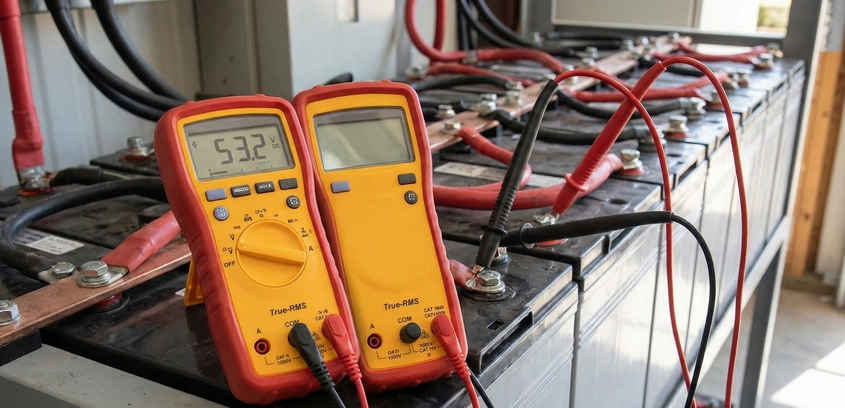
The Engineer's Primary SenseIn the battery workshop, you are working with a medium that is invisible, silent, and potentially lethal. You cannot "see" the voltage in a cell or "feel" the current in a busbar without a transducer. Your multimeter is that transducer. It is your eyes and ears. However, many beginners treat the multimeter as a generic commodity, opting for the cheapest yellow box they can find at the local hardware store.This is a dangerous mistake. For battery building, a multimeter must meet two strict criteria: Absolute Accuracy (to manage the flat voltage curves of LiFePO4) and Robust Input Protection (to survive the massive energy potential of a lithium bank). In this guide, we will dissect the anatomy of a professional meter and explain why tools like the Fluke 87V or Uni-T UT61E+ are the industry standards for a reason.1. Accuracy vs. Precision: The LFP ChallengeStandard Lithium-Ion (NMC) batteries have a steep voltage curve (4.2V down to 3.0V). A cheap meter with a 1% error margin is usually "good enough" to tell if an NMC cell is full or empty. LiFePO4 is different. As we discussed in our guide on Nominal vs. Max Voltages, the discharge curve of an LFP cell is incredibly flat. A cell at 3.32V might be 70% full, while a cell at 3.28V might be only 20% full. That is a 0.04V difference for 50% of the battery's capacity.If your multimeter has an accuracy of ±0.05V, it is literally guessing. You could have two cells that look identical on your screen (3.30V) but are actually wildly out of balance. To build a balanced LFP pack, you need a meter with at least 4.5-digit resolution (20,000 counts or higher) and a DC accuracy of at least 0.1%.2. Understanding "Counts" and ResolutionMultimeters are sold by "Counts." - 2,000 Count Meter: Can display up to 1.999. If you measure a 12V battery, it shows "12.56V." (Two decimal places). - 20,000 Count Meter: Can display up to 19.999. It shows "12.564V." (Three decimal places).For top-balancing a 16S Powerwall, that third decimal place is not "nerdy over-optimization"; it is the only way to detect a "runner" cell before the BMS trips. You want to see the difference between 3.650V and 3.655V.3. Safety Ratings: The CAT StandardBatteries are "Low Voltage" (usually < 60V DC), so many people think they don't need a high-safety meter. This is a fatal misunderstanding of Fault Current.A lithium battery bank can deliver thousands of amps into a short circuit. If you accidentally have your meter set to "Amps" and you probe a 48V battery, you have just created a short circuit through the meter. - A Cheap Meter: The internal traces will vaporize. The air inside the meter will ionize, and the box might explode in your hand, showering you with molten plastic and copper (Arc Flash). - A CAT III / CAT IV Meter: These are designed with high-rupture-capacity (HRC) ceramic fuses. These fuses contain sand that turns to glass when blown, instantly extinguishing the arc. The meter might die, but your hand survives.The Rule: Never use a meter for battery work that does not have HRC ceramic fuses. Glass fuses are for toys, not power systems.4. Essential Features for the Battery BenchHigh Input Impedance: Ensures the meter doesn't "load" the circuit, giving a false lower voltage reading on small cells.Min/Max/Avg: Critical for diagnosing Voltage Sag. You can set the meter to record the lowest voltage reached during a motor burst.Temperature (K-Type Probe): Many meters include a thermocouple. This is excellent for verifying your BMS temp sensors are accurate.Capacitance: Useful for checking the health of the input capacitors on your motor controllers or inverters.5. The Brand Showdown: Which to Buy?The Gold Standard: Fluke 87V / 115Fluke is the choice of professionals worldwide. They are built like tanks, survive 10-foot drops, and their calibration lasts for a decade. The 87V is the "Buy it for Life" tool. If you can afford the $400 entry price, you will never need another meter.The Budget King: Uni-T UT61E+The "E+" version is the darling of the DIY battery community. For under $80, you get 22,000 counts, 0.05% DC accuracy, and PC logging via USB. Caution: The safety protection is better than old Uni-T models but still not "Fluke Level." Use it for bench work, but think twice before probing a 400V EV pack with it.The Innovator: Brymen BM867s / BM869sOften rebranded as EEVBlog meters, Brymen offers Fluke-level safety and precision for about half the price. Their "Dual Display" allows you to see Voltage and Frequency (useful for AC inverters) simultaneously.6. The Maintenance of the ToolA multimeter is only as good as its battery. As the internal 9V battery in a multimeter dies, the voltage reference can drift, leading to High Readings. You might think your cells are at a safe 4.2V, but they are actually at a dangerous 4.3V because your meter is lying to you. Pro-Tip: Always change your meter battery at the first sign of the "Low Bat" icon. For critical work, verify your meter against a high-precision voltage reference (like a $10 AD584 module) once a year.SummaryYour multimeter is the gatekeeper of your data. For Lithium chemistry, especially LiFePO4, high-resolution counts (20,000+) are mandatory to ensure pack balance. For your personal safety, HRC fuses and CAT III ratings are non-negotiable. Invest in the best meter you can afford; it is the one tool that protects both your batteries and your life.

06 Dec 2025 Read More